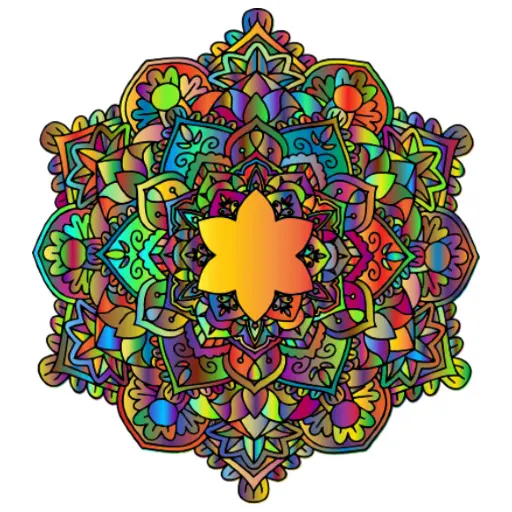
Mandala Draw
Mandala, sketch, coloring & photo artThe full Android app: Mandala, Sketch, Coloring and Photo desks with stickers, 3D text and more.
Every stroke is mirrored around the centre. Pick radial, quad or mirror symmetry, choose from 13 brushes, add shapes, text and layers — then export your art as PNG or JPG.
No sign-up, no ads, no tracking. Your artwork is saved only in your browser.
The same drawing desk as Mandala Draw on Android, rebuilt for the web with a GPU (WebGL) canvas.
Radial with 2–16 lines, quad, vertical and horizontal mirrors — with guide lines you can switch off.
Pen, ink, pencil, neon, highlighter, marker, progressive, watercolor, crayon, spray, calligraphy, glitter and fill brush.
Up to 24 layers with opacity, multiply, screen, overlay and more, alpha lock, merge, flip and invert.
Eleven quick shapes, a smart fill bucket and text — all repeated by your symmetry setting.
Unlimited-feeling undo, pinch and scroll zoom, pressure for styluses and a line stabilizer for smooth curves.
Autosaves to My Creations in your browser. Export a PNG (with or without paper) or JPG, or share it.
You don't need to be an artist. Symmetry does most of the work — you just draw one slice.
Every app has its own privacy policy, so you can see exactly what it does with your data.
The full Android app: Mandala, Sketch, Coloring and Photo desks with stickers, 3D text and more.
Sketch, paint and design your own brushes on a full-screen pro canvas.
Draw glowing neon spiral art with real rolling gears, 12 brushes and zoom.
Color and paint with happy brushes, pages and layers. Create, save and share.
Fun coloring pages for kids and families. Color, create and enjoy!
Learn to draw step by step with easy guided tutorials for all ages.
Open the Mandala Desk, keep Radial symmetry on and pick how many lines you want (8 is a good start). Every stroke you draw is repeated around the centre, so a few simple curves quickly become a full mandala. Add circles with the Shapes tool, fill areas with the Fill bucket and build up detail on separate layers.
Yes. The web version is completely free, with no ads, no watermark and no sign-up.
No. Mandala Draw runs in your browser on computers, tablets and phones. It works in current versions of Chrome, Edge, Safari and Firefox (WebGL must be enabled).
Your artwork is saved automatically in My Creations, inside your browser on your own device. Nothing is uploaded. Export a PNG or JPG to keep a copy elsewhere.
Yes. Pen pressure from a stylus changes the line width of the Ink brush, you can pinch to zoom and drag with two fingers to move around the canvas.
Radial symmetry with 2 to 16 lines, Quad (four-way) symmetry, vertical and horizontal mirror symmetry, or no symmetry for free drawing.
Click Export, choose PNG or JPG and a size, then Download. PNG can be saved with a transparent background.
Yes. Mandala Draw for Android adds a Sketch Desk, a Coloring Desk with mandala coloring pages and a Photo Desk. Get it free on Google Play.